|
What's new: Hotline for Mac b31
|
 |
 |
Released 2026-11-14
|
|
|
|
Happy Friday the 13th!
And thank goodness this release has a privacy focus for your protection. Secure connections and a privacy section in Settings, among other things. Take care of yourself. :)
New in b31
- Secure connections! Hotline now connects to servers over TLS when they support it (like servers running Mobius), so your password and messages are encrypted. It tries a secure connection first, and uses a regular one if a server doesn't offer it. Bookmarks can require a secure connection, and hotlines:// links connect securely. Once you've connected to a server securely, Hotline won't connect to it any other way without asking, and it asks before trusting a server whose certificate has changed.
- Starting with b31, Hotline can fully update itself! When a new build is out, Hotline shows what's new, and Install Update downloads and installs it, then reopens Hotline. Updates are signed, so Hotline only installs genuine releases. Check for Updates in the Hotline menu checks right away.
- Release Notes browser in the Help menu.
- Unread counts in the sidebar, and on Hotline's icon in the Dock.
- More notifications: public chat, private chats and invitations, broadcasts, new message board posts, and when an administrator disconnects you. Pick the ones you want in Settings ▸ Notifications.
- A new Privacy section in Settings, for refusing private messages and chat invites, the servers you've connected to securely, where picture previews can come from, and hiding offensive words.
- Hide offensive words: turn it on in Settings ▸ Privacy, and swearing turns into cartoon cursing like "!@#$%", while slurs are blotted out, in chat, posts, news, messages and notifications.
- Picture previews now come only from trusted sites: popular image hosts and the server you're on. A site that shows you a picture can see your IP address, so you can allow any site, or none, in Settings ▸ Privacy. Previews also work for Instagram, Facebook, and Reddit's image viewer.
Changed
- Refuse private messages and Refuse private chat invites moved to Settings ▸ Privacy.
- Downloads never replace a file that's already there, and a folder download can't put files outside its folder.
- If your download folder is on a drive that isn't connected, downloads go to your Downloads folder until it's back, and a download folder you've moved is still found.
- A link to a server you've bookmarked fills in your saved login, but never uses your saved password with a different login.
Fixed
- Some message board posts could freeze Hotline.
- Bad data or ports from a server could crash Hotline.
- Names with colons in them could pose as other people in chat.
- Downloads to a chosen folder could stop working after a while.
- The Edit button in Accounts didn't respond to clicks.
- The About box lost its list of contributors when GitHub didn't answer.
Downloads
|
|
|
|
( Release page )
|
|
|
|
News about Hotline (SwiftUI)
|
|
|
4 posts
|
|
|
|
|
|
|
|
( All news )
|
|
|
|
Hotline for Mac b30
|
|
|
Released 2026-11-10
|
|
|
|
Hello again!
Alright, b30! Grab a coffee, this is a long list. Since b29, Hotline has picked up private chats, Markdown nearly everywhere you write, a much more capable Files section, streaming audio and video previews, and a pile of fixes and small touches.
As promised last time, Hotline now requires macOS 26 (Tahoe) or later. Keeping to the two most recent macOS releases lets me use Apple's latest and keeps the project fresh and easier to maintain into the future.
New in b30:
- Private chats! Start a private chat with one or more people on a server, add a subject if you like, and invite others to the conversation later if needed. Private chats get their own spot in the sidebar.
- Markdown everywhere: the message board, news, private messages, broadcasts, and your auto-reply can all now be written in Markdown, styled as you type, with a formatting bar for bold, italic, underline, strikethrough, code, and links. Chat styles Markdown as you type too, and there's a new Format menu in the menu bar. Pasting rich text turns it into Markdown.
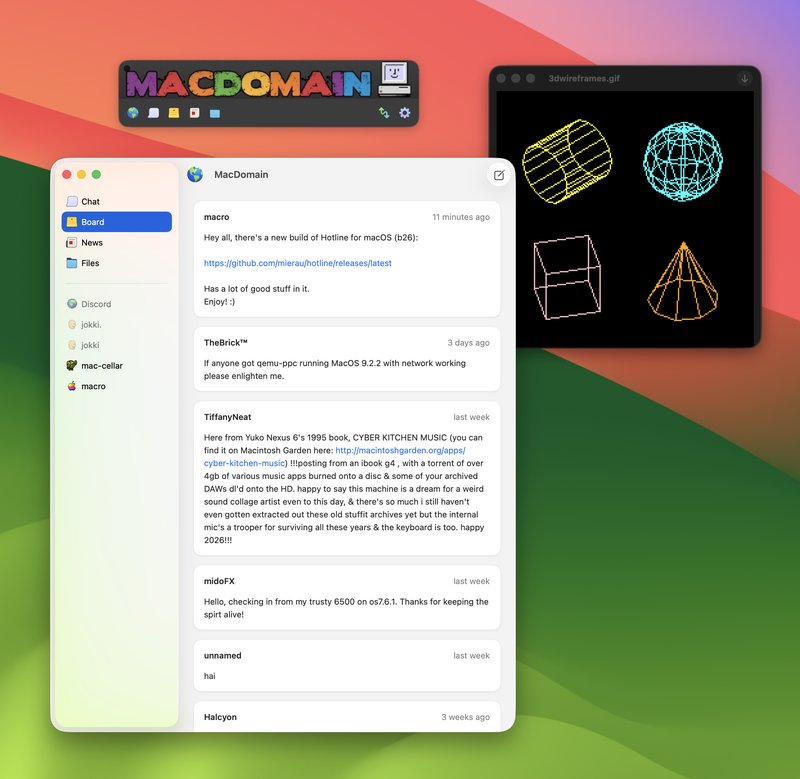
- Redesigned message board composer. Quotes, lists, and highlighted code blocks now show up on the board, and selecting text in posts works much better. Drop a picture onto a post to turn it into ASCII art (experimental if not a little silly).
- New board posts appear in chat with a pin. On Macs with Apple Intelligence, they also get a short generated title so you can see what a post is about, and clicking it takes you to the post.
- News now shows whole conversations, with a new composer for articles and replies.
- Private messages are written like board posts and quote the message you're replying to.
- Files got a lot of love: select multiple files, drag and drop to move files and folders, inline renaming (press Return, like the Finder), drag files to and from the Finder, and refresh. List view has alternating rows once again.
- Support for server download queues.
- Streaming audio and video previews: they start playing while they download, even when you skip ahead, with player controls and a timeline that shows what's downloaded so far. Audio previews show embedded album artwork.
- Chat history is now kept for a set amount of time instead of the last 2,000 lines. Older chat loads as you scroll up, search covers all of your saved history, and new messages no longer pull you back down while you're reading back (there's a button to jump to the latest).
- Better chat links and image previews: long links are shortened, previews wait until they've loaded, portrait images are supported, and previews can be dragged out or clicked to open in the preview window.
- Your icon now appears in the chat input, and name changes show up in chat.
- Per-server options in the Server menu: refuse private messages or private chat invites, and set an automatic reply just for that server.
- Menu bar overhaul: a new Format menu, a fuller File menu, server sections in the View menu, and Add Bookmark and New Board Post in the Server menu.
- Hotline asks before quitting, disconnecting, or closing a window would cancel unfinished transfers or lose something you're writing.
- Servers no longer mark you idle while you're using your Mac (experimental).
- Server banners update right away when a server changes its banner, including banners hosted on the web.
- Hotline bookmarks in file listings get Connect and Bookmark buttons, and opening a server bookmark connects to it. This allows servers to more easily link to friendly servers.
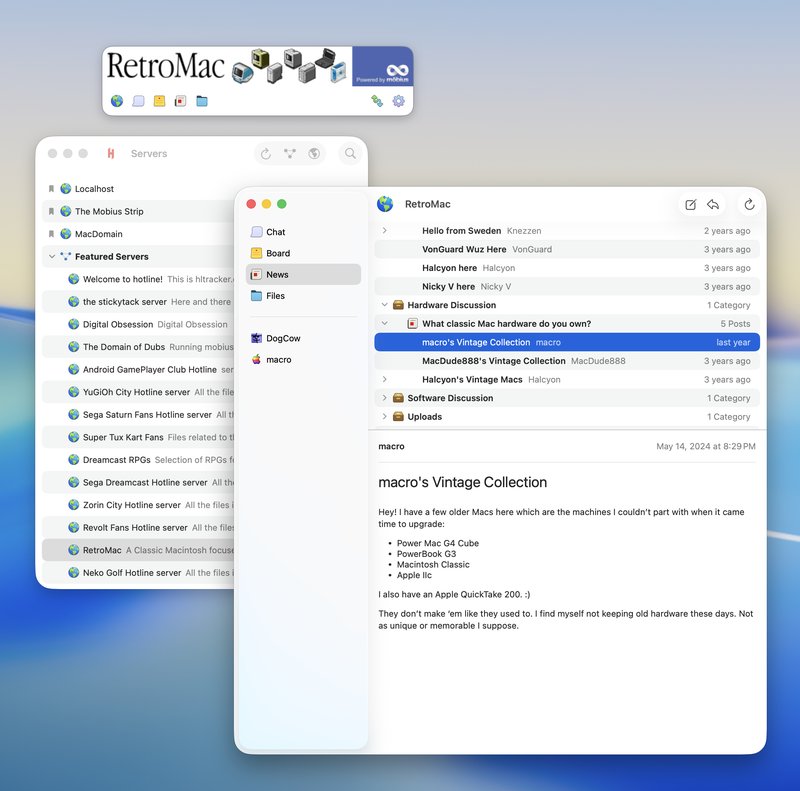
- The connect form takes on a server's theme from its cached banner, fills in the address as you arrow through suggestions, and shows user counts for tracker servers.
- Trackers that can't be reached now say so, with a button to try again.
- A character count appears beside Cancel as a post or message nears the length limit.
- Redesigned Broadcast and Accounts sheets, with a little more Liquid Glass.
Changed
- Requires macOS 26 (Tahoe) or later.
- Connect and disconnect messages are always saved in chat now, and the setting just shows or hides them, including older ones.
- Redrawn server message icon, with a version for dark mode.
- The board's new post button is now a pin.
Fixed
- Downloads could get stuck at Waiting and never start.
- On busy servers, the user list could keep someone who had left, miss someone who joined, or show bogus "connected" lines.
- Emotes containing links showed up as regular chat. Ones already in your chat history are repaired too.
- Changing your name or auto-reply sent an update to the server with every keystroke.
- Access errors no longer interrupt a file search.
- Transfer queue fixes.
- Keyboard scrolling and re-wrapping text while resizing.
Downloads
|
|
|
|
( Release page )
|
|
|
|
Hotline for Mac b29
|
|
|
Released 2026-10-05
|
|
|
|
Good day!
It's Fall, and looking at this project's history, that apparently means it's Hotline update season! (new releases falling and such, you get it)
The promise has been that we will only support the most recent 2 releases of macOS. Though I didn't adjust the OS version number in this build, the next build will. So anything less than macOS 26 will no longer be supported. This helps keep the project and app fresh and working on Apple's latest while also reducing the complexity of working on this project so it doesn't become a burden.
New in b29:
- Server themes! Each server now takes on colors to make each server feel like a unique space. These colors are pulled from a server's banner image. You can disable themes in settings.
- New connection interface! I've taken a stab at rethinking the connection form in Hotline. Now you can just start typing a server name into the address field and it will show suggestions based on your bookmarks and any trackers you have added automatically. Recent servers appear under the address field.
- Liquid Glass! Some Liquid Glass effects are now used in the toolbar and a few other places.
- Full color toolbar: we're now generating more colors from server banners to make the toolbar even more themed.
- Instant server banners: we now cache server banners locally so you see it immediately upon signing in.
- Rebuilt chat: the chat now uses TextKit 2 and supports themes, user icons, inline image URL previews, hover underlines on links and usernames, special handling of hotline links to files, simple support for markdown code blocks with basic syntax highlighting, back-to-back messages are now grouped by user, and overall faster search and rendering.
- Tab complete usernames in chat input field.
- Redesigned file preview window with edge-to-edge video and image support.
- Support for previewing classic PICT files.
- Support for previewing zip, Compact Pro, XAR, packages, MacBinary, BinHex, and disc images using HFS, HFS+, and 9660 which includes Toast and CD master images, floppies, Disk Copy images, and those compressed with DART, KenCode, or ShrinkWrap. Handy if you want to see the contents of a large archive before downloading it.
Changed
- Updated about box.
- New Markdown renderer for news, private messages, and release notes.
Fixed
- Double-clicking a Bonjour server could fail the first time.
- Line breaks in private messages didn't show up in older Hotline clients.
- Sound effects stuttered when logging in and had their endings cut off.
- Closing a server window while it was connecting didn't stop the connection.
- Animations in the Servers window used too much CPU.
- A memory leak kept each server's data around after its window closed.
- Connections could stay open after a server disconnected, and data could be lost when a server closed the connection.
- Downloading files with resource forks used much more memory than it needed to (resource forks are streamed to disk now).
Downloads
|
|
|
|
( Release page )
|
|
|
| |
|
Links
|
|
|
Clients
|
|
|
Servers
|
|
|
Trackers
|
|
|
Bots
|
|
|
Misc
|
|
|